
The stamp rally is a feature that lets you collect stamps by physically visiting spots on the map. On some maps, you can receive rewards such as coupons depending on how many stamps you collect.
Before you begin: turn on GPS and read the notes
Whether you can collect a stamp is determined by your current location. If Location Services (GPS) is off, you will not be able to collect a stamp even when you are standing right in front of the spot.
1. Turn on Location Services (GPS)
For instructions, see “How do I allow the use of location information (GPS) on my device?“
2. Read the notes before you start
Your collected stamps are saved in your browser, not on a server. This means that if you open the map in Private Browsing, or if you delete your browser history or cookies during the rally period, all of your collected stamps will be lost. Please be sure to read “Tips for Enjoying the Stamp Rally” before you take part.
Collecting a stamp
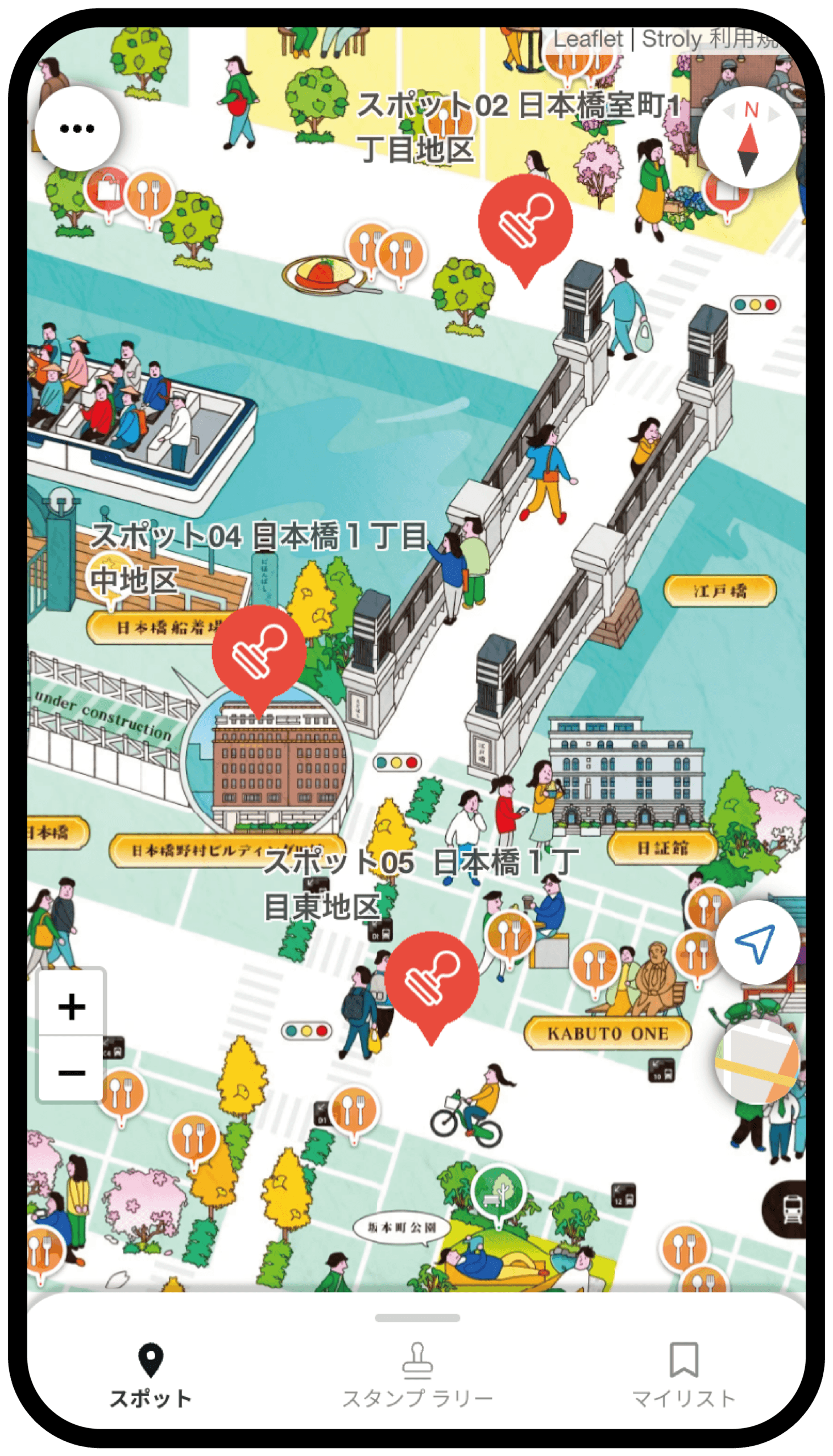
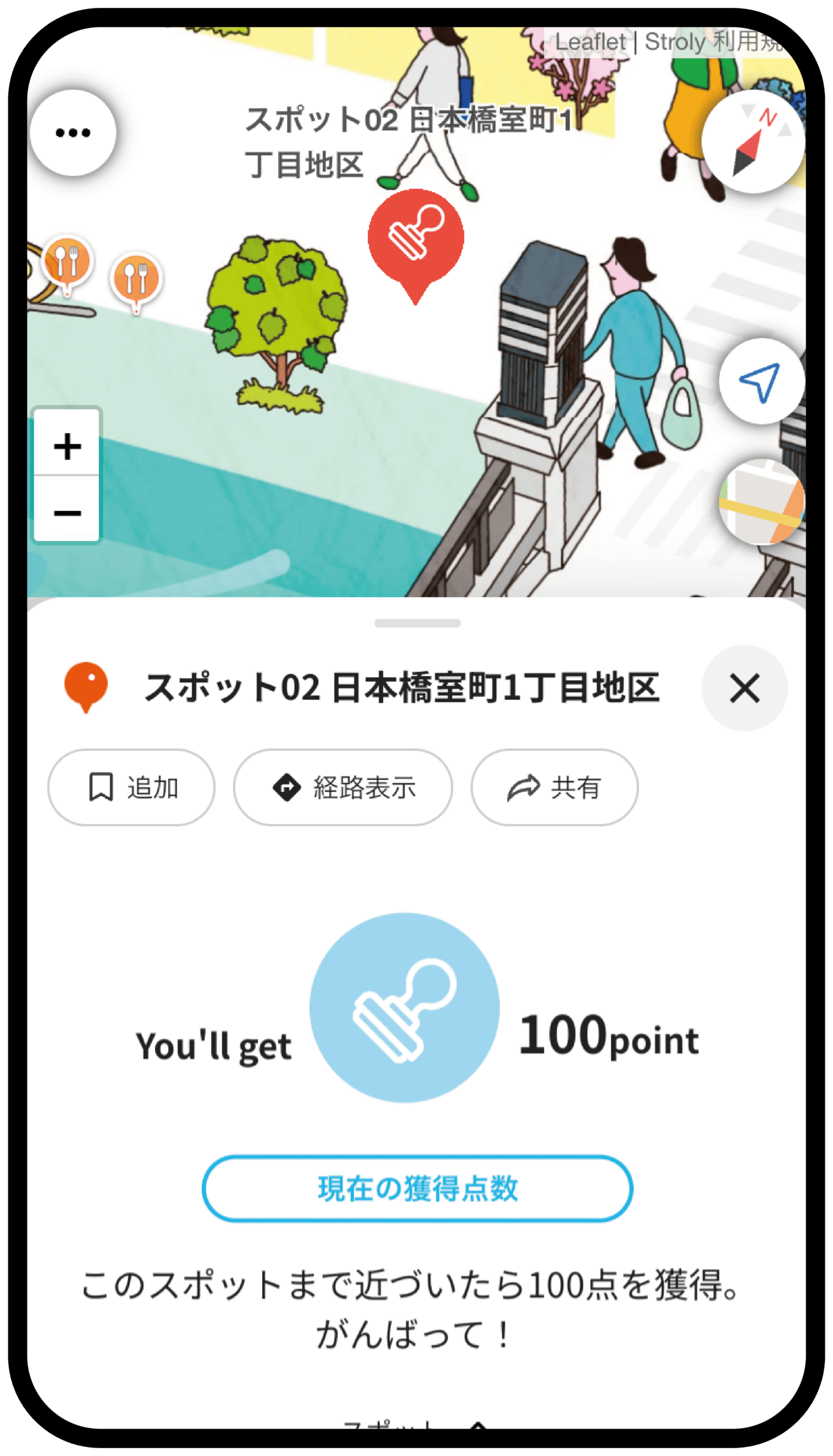
1. Go to a spot where you can collect a stamp, and tap the stamp icon
If you are outside the range, the button cannot be tapped. Check the map and move a little closer to the spot.
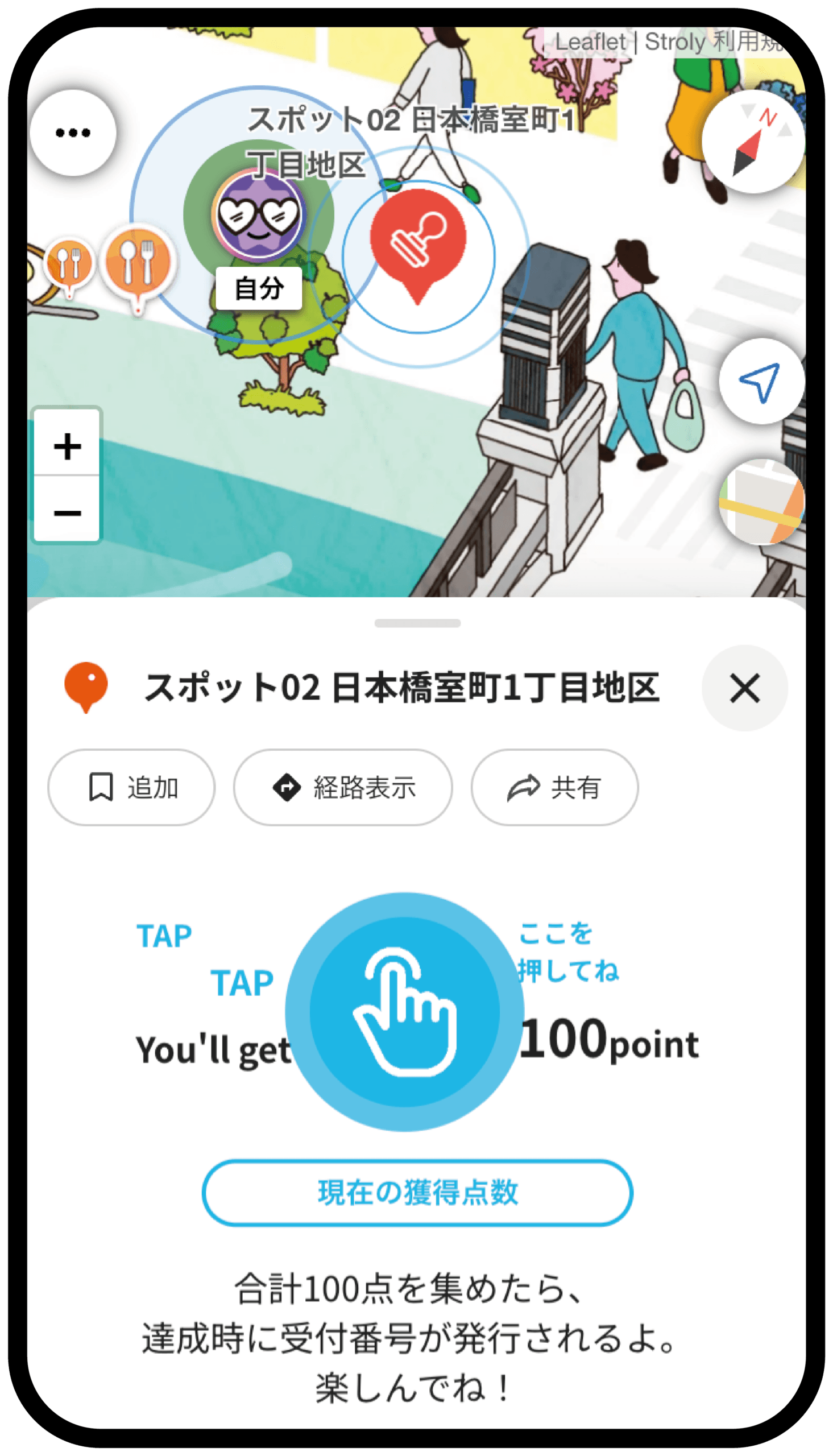
2. Tap the finger button labeled “Tap here”
The button changes to a finger icon only when you are within range of the stamp.
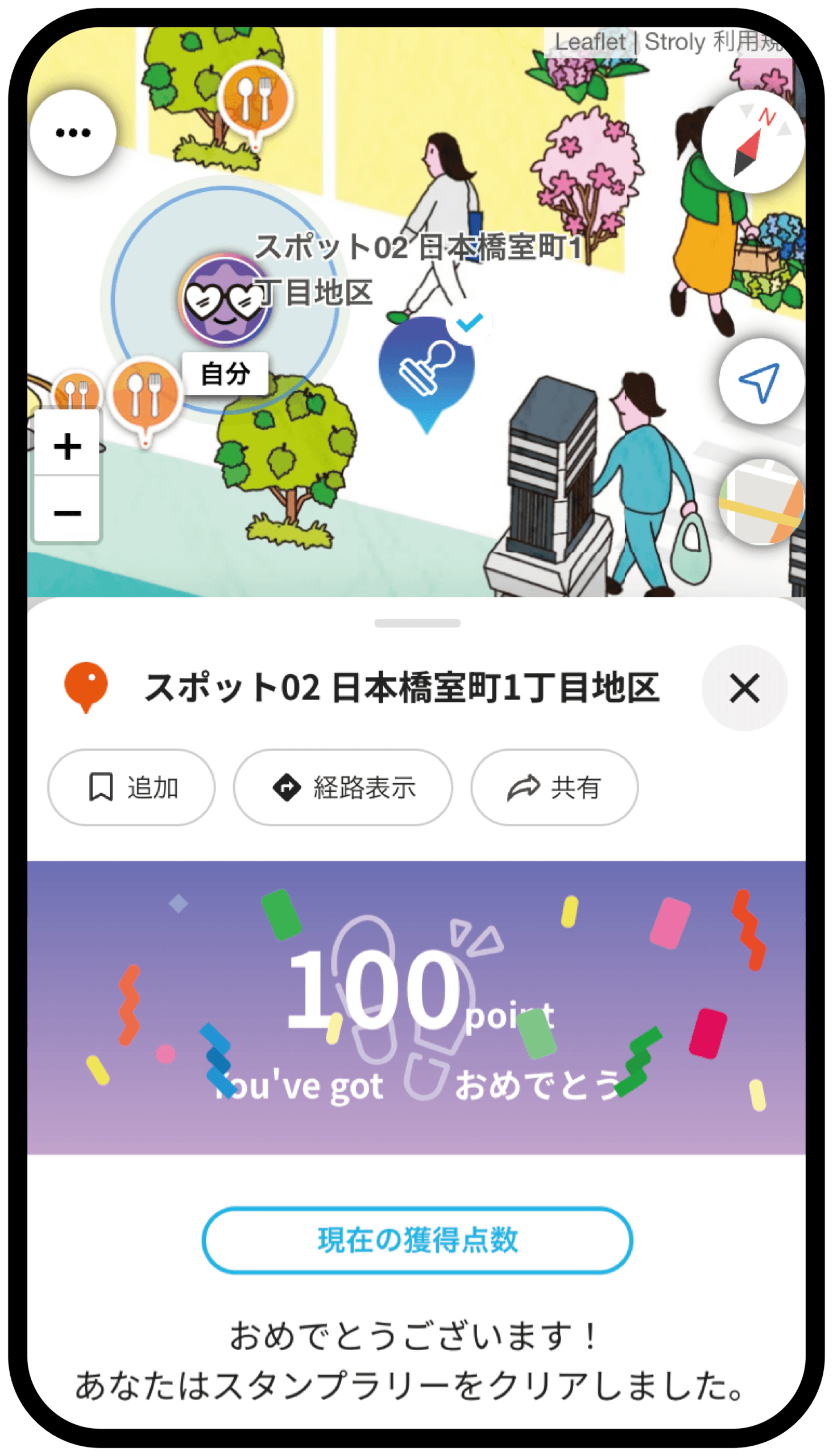
3. The points screen appears
Once this screen appears, the stamp has been collected. Stamps you have collected change to the collected state on the map.
Checking your collected stamps
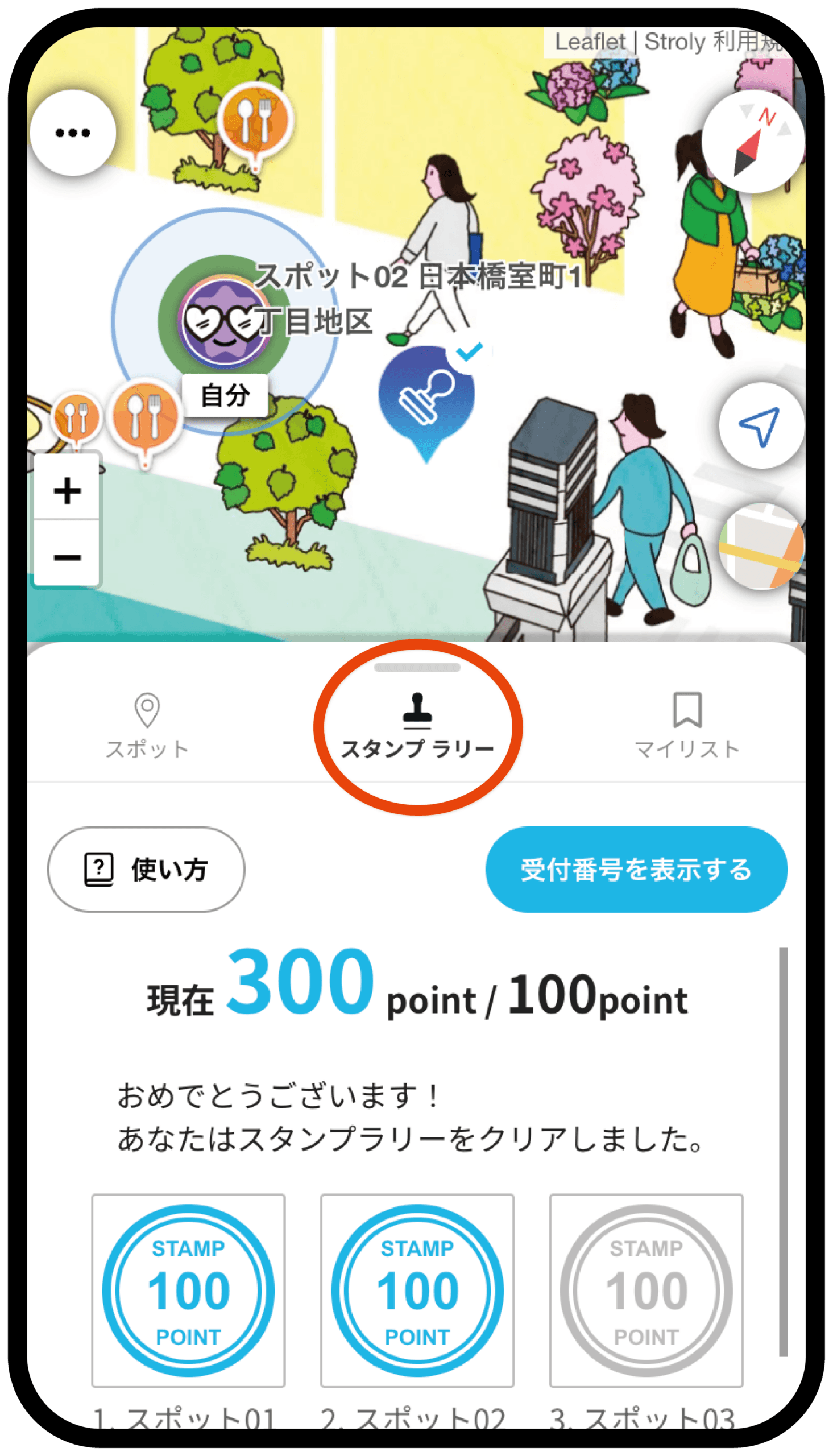
Tap “Stamp Rally” in the menu at the bottom of the screen to see a list of the stamps you have collected so far and the ones still remaining. You can also check the conditions for receiving rewards on this screen.
If you cannot collect a stamp
Stamps are awarded based on the current location your device reports. The accuracy of that location depends on your device and your surroundings, so your position may be off and the stamp may not register even when you are near the spot. Please try the following in order.
1. Check whether your location on the map matches where you actually are
If the marker showing your current location is far from where you are standing, your device is not getting an accurate position. Try steps 2 to 5 below.
2. Move to a place where you can see the sky
Indoors, underground, on streets surrounded by tall buildings, under elevated structures, or beneath large trees, GPS signals are weak and your location is more likely to be off. Move to an open outdoor area and wait a moment — your location may correct itself.
3. Turn on Wi-Fi
Even if you are not connected to a network, turning Wi-Fi on can improve the accuracy of your location.
4. Turn off power saving mode (Low Power Mode)
While power saving mode is on, location updates may be limited.
5. Reload the map
Reloading the map with your browser’s refresh button will make your device get your location again.
6. Move a little closer to the spot
The range in which you can collect a stamp is set individually for each spot. If you see “Not close enough yet,” you are outside that range. Move up to the front of the landmark building or sign and try again.
7. Check that you are not using an in-app browser
If you open the map inside an app such as a social media app or a QR code reader, your location may not be detected correctly. Please open the map again in Safari or Chrome.
Note: If your location still does not appear after trying the above, Location Services may be turned off. Please see “How do I allow the use of location information (GPS) on my device?“