
Thank you for using Stroly.
We are pleased to announce an update that introduces a new URL Sharing feature and changes the behavior of Category Buttons, making it easier to manage and explore spots on your maps.
The main changes included in this update are as follows.
🛠 Main Updates
URL Sharing
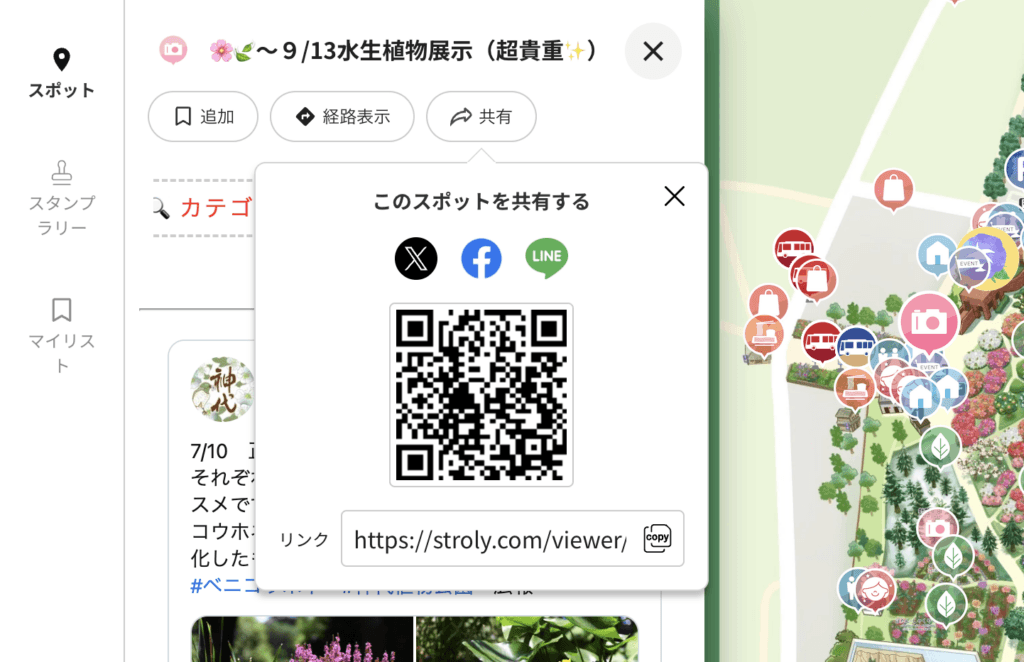
With this update, a Share button has been added to the top of the spot details screen.
In addition to social media sharing buttons, a QR code is now also displayed, making it easier to share spots in a variety of situations. Whether you’re posting on social media or sharing a spot directly with friends, we hope you’ll find this feature useful.
Updated Category Button Behavior
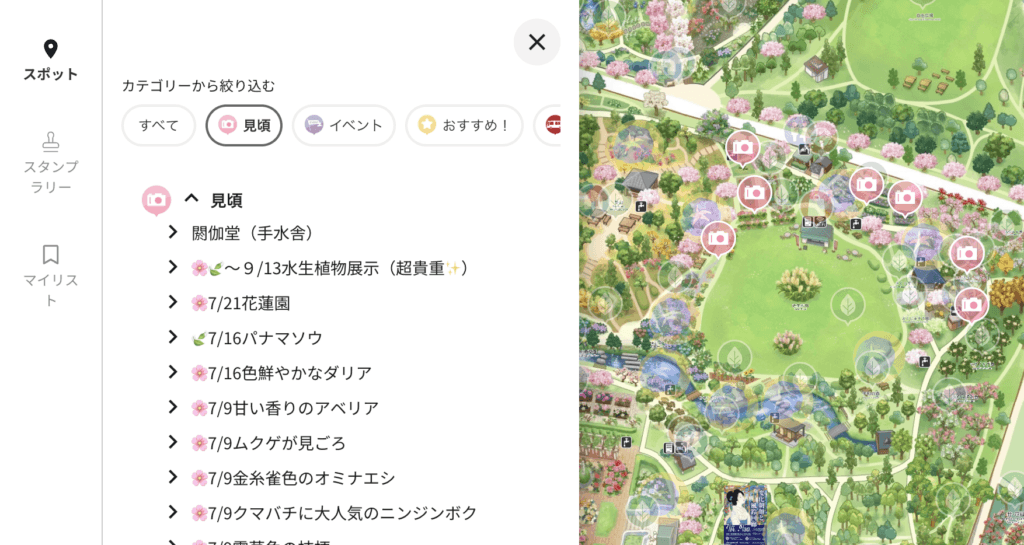
Previously, selecting a category button in the viewer displayed only the spots belonging to that category, while all other spots were hidden.
With this update, spots belonging to unselected categories will remain visible on the map with reduced opacity.
You can still select these semi-transparent spots to open their spot details as usual.
At Stroly, we are committed to continuously developing new features and improving existing ones to create exciting user experiences. We hope you look forward to future releases.
As always, we welcome your feedback and suggestions.