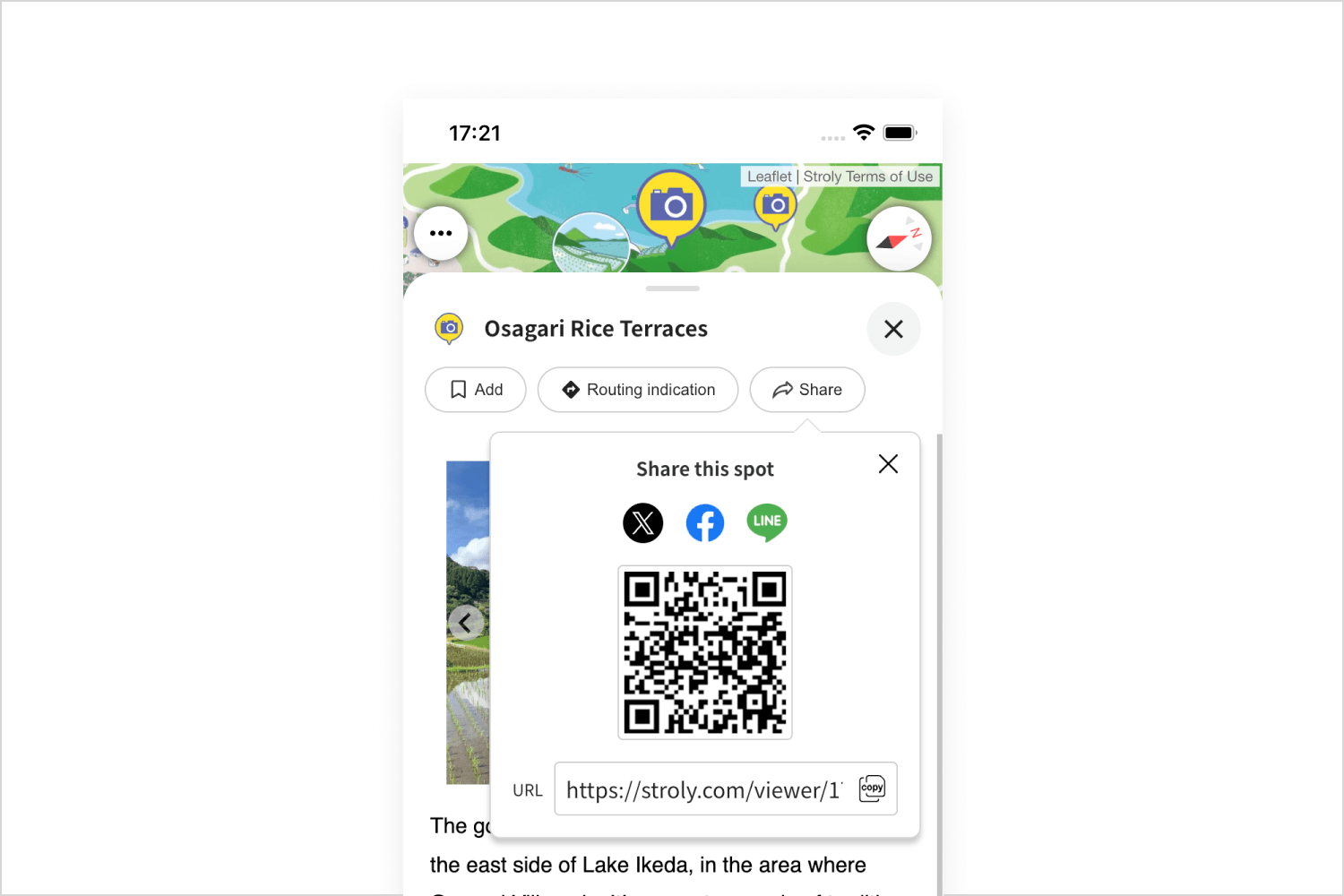

Spots you find on the map can be shared with other people using the “Spot Share” feature.
About Spot Share
Spot Share lets you share information about a spot from the spot detail screen. It’s useful when you want to let someone know about a place you’re planning to visit, or when you want to post a favorite spot on social media.
Steps
- Tap a pin on the map to open the spot detail screen for the spot you want to share.
- Tap the “Share” button below the spot name. This opens a pop-up with sharing options.
- Choose how you’d like to share the spot:
- Share via SNS: Tap the X (formerly Twitter), Facebook, or LINE icon to open the posting screen for that app.
- Share via QR code: Others can scan the QR code shown on screen to access the spot information. This is also convenient for sharing in person.
- Copy link: Tap the copy button to copy the URL, then paste it into an email or messaging app.